Introduction
I've been lucky enough to spend many years working as a software engineer, and I've worked with data scientists, data engineers, site reliability engineers, and technologists of all sorts. One trait that stands out in great technologists is their ability to make their tools work for them by stitching the tools together in creative ways to suit their unique styles and needs. This book will help you do just that by using the shell.
This isn't a book on shell scripting or Linux administration. Each chapter presents a set of techniques to help you work more efficiently, understand your system in more depth, and craft your environment to suit your individual workflow. This book doesn't ask you to totally change the way you work or to drop your current tooling. Instead, it brings together a set of skills that you can add to your toolkit and incorporate as you like.
Effective Shell is available in print from Amazon and No Starch Press.
What Is the Shell?
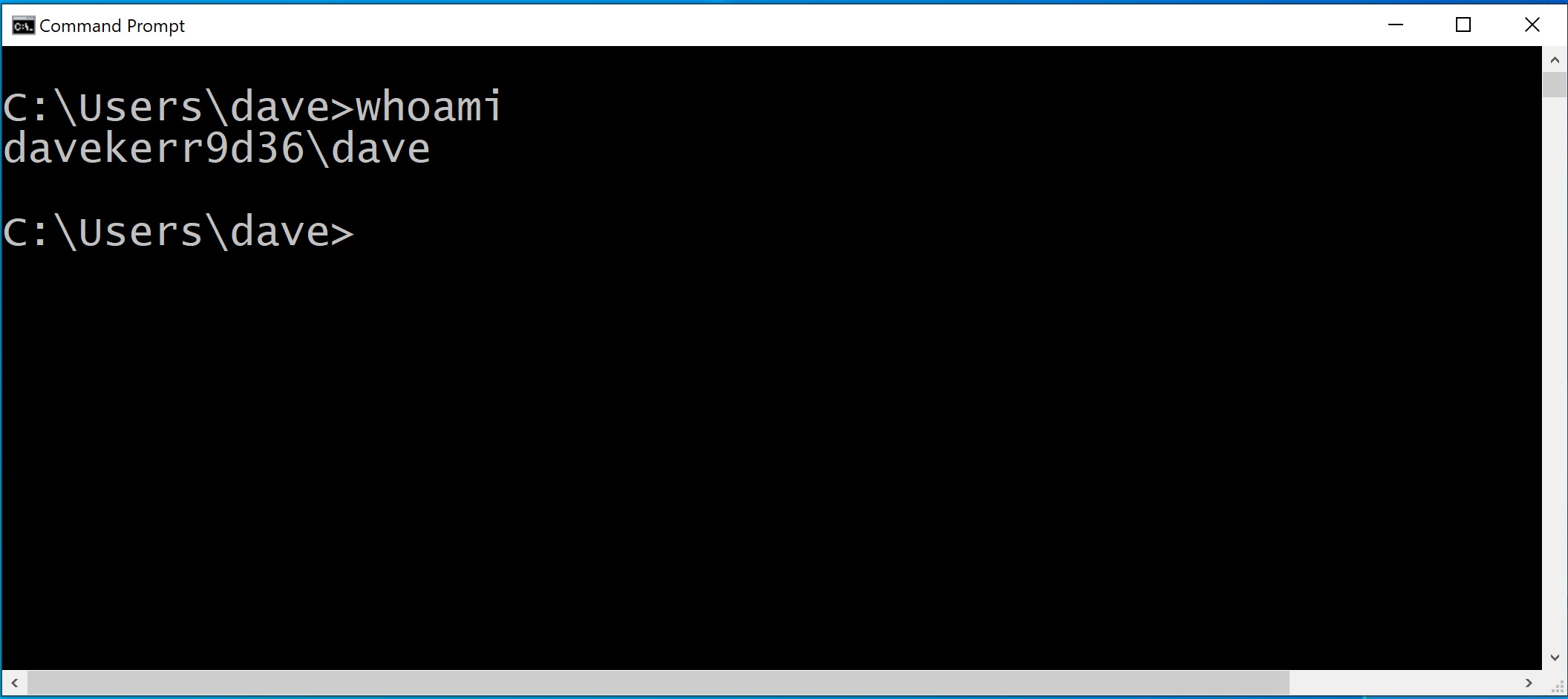
The shell is the simple, text-based interface used to control a computer or a program. In Windows, it looks like this:
Here's what it looks like on a Mac:

And here's what it looks like on Fedora, a popular Linux distribution:

There are several reasons why you might want to use the shell instead of a graphical user interface (GUI):
- Learn more about your computer's internals - Using the shell can help you understand how your computer works, which is helpful if you're a technology professional or simply want to better understand your system.
- Some scenarios require a shell - Not every program or system can be operated with a GUI.
- Efficiency - Many operations that are time-consuming or repetitive to perform using the GUI are much faster to perform in a shell. You can also write shell scripts to automate such operations.
- Simplicity - The shell's text-based interface is a distraction-free environment to work in.
Investing just a few hours in learning to use the shell can have an enormous impact on your productivity. It can also make your work more fun, allowing you to maintain a state of creative flow and work more effectively.
Who Should Read This Book
This book's primary audience will be readers who have some basic programming knowledge and familiarity with the command line on a Windows, macOS, or Linux system. If you're totally new to the shell environment, be sure to start with Appendix B - Shell Basics before you dive in. There, you'll learn fundamentals such as setting up the shell on your system and navigating the files and folders on your machine.
Developers, data scientists, and engineers should find almost every chapter of this book immediately applicable in their day-to-day work. Whether you use Python, Golang, JavaScript, .NET, Java, or another language, an integrated development environment (IDE) or the terminal, the skills you'll learn here will improve your ability to quickly solve problems by using a simple, adaptable, and general-purpose toolkit.
Site reliability engineers, system administrators, and DevSecOps professionals will also find essential tips and tricks. If you regularly administer remote machines, connect to containers, or manage clusters or cloud environments, you'll find many techniques to help you work more efficiently.
Hobbyists, polymaths and explorers should also read on - as well as going into specific techniques, each chapter gives essential knowledge on how computers, operating systems and networking work.
What's In This Book?
Each chapter of this book aims to work as a stand-alone description of a set of techniques that you should be able to apply immediately. I have focused on keeping the information to the essentials that allow you to use the skill, rather than creating an exhaustive description of every possible feature. This should allow you to pick up the book and read a chapter over a coffee and try out the skills straight away. Depending on your familiarity with and comfort in the shell, you can generally skip straight to chapters you're interested in rather than having to read the book in order.
- Part 1 - Core Skills introduces essential techniques that you'll use again and again in your everyday work. You'll learn how to use pipelines, rapidly navigate the command-line, manage multiple tasks in parallel with jobs, the different types of commands that are available and how to search for files.
- Part 2 - Manipulating Text and Streams demonstrates many techniques to work with text - whether it's code, data or configuration. You'll learn how to use regular expressions, search through text, slice and dice text, and how to apply these techniques to your shell commands themselves.
- Part 3 - Shell Scripting is a crash course in shell scripting. You'll learn how to write and run scripts, read and process input, perform logical operations, iterate over files and folders, build functions, handle errors and apply re-usable patterns to your own scripts.
- Part 4 - Building Your Toolkit goes into the techniques you can use to create and customize your own environment. You'll learn how to configure the shell, customize your command prompt, manage your configuration files and share your configuration with the Git version control system.
- Part 5 - Advanced Techniques introduces powerful tools and techniques. You'll learn how shell expansion works, when to move away from shell scripts into a full programming language, how to connect to other machines with the secure shell, how to use the terminal editor Vim and how to use terminal multiplexers.
- Afterword - Generative AI and the Shell looks at how generative AI can bring us to new levels of efficiency in the shell, tools that let you interact with AI systems from the command line, and what the future might hold.
What You'll Need
If you do not have a Bash-like shell setup on your machine, check Appendix A - Setup to learn how to setup your shell in Windows, Linux or macOS.
No Linux, shell or programming knowledge is required to use this book, all underlying concepts will be explained as we go along. Advanced users will be able to skip some of the explanations, but there is also enough depth in each chapter that users of all levels should be able to learn something new.
How To Read This Book
Commands that you can type into your shell, such as grep are shown as monospaced text. Paths to files and folders, such as the ~/effective-shell folder are shown in italics.
In larger code samples, the dollar sign is used to indicate where you would start typing - this is the command prompt. The text that you type is shown in bold:
$ echo "my shell is $SHELL"
my shell is /bin/bash
This book assumes that you are using a Bash-like shell. Given the popularity of the Z shell (Zsh), which is now the default for macOS, Z shell specifics are called out like so:
Z shell specifics are highlighted like this.
Bugs and Suggestions
I've made every effort to keep samples bug-free and cross-platform. However, tools and operating systems change, and it's impossible to catch every issue. If you find a bug, or if you have any suggestions, please open an issue in the GitHub repository at github.com/dwmkerr/effective-shell.